How to track strength training on Apple Watch
Which Apple Watch workout to choose for weights, how to record a session, what the watch does not count, and how to see your strength progress.
By Tom Bettesworth, co-founder of VitaOS · Published 29 October 2026
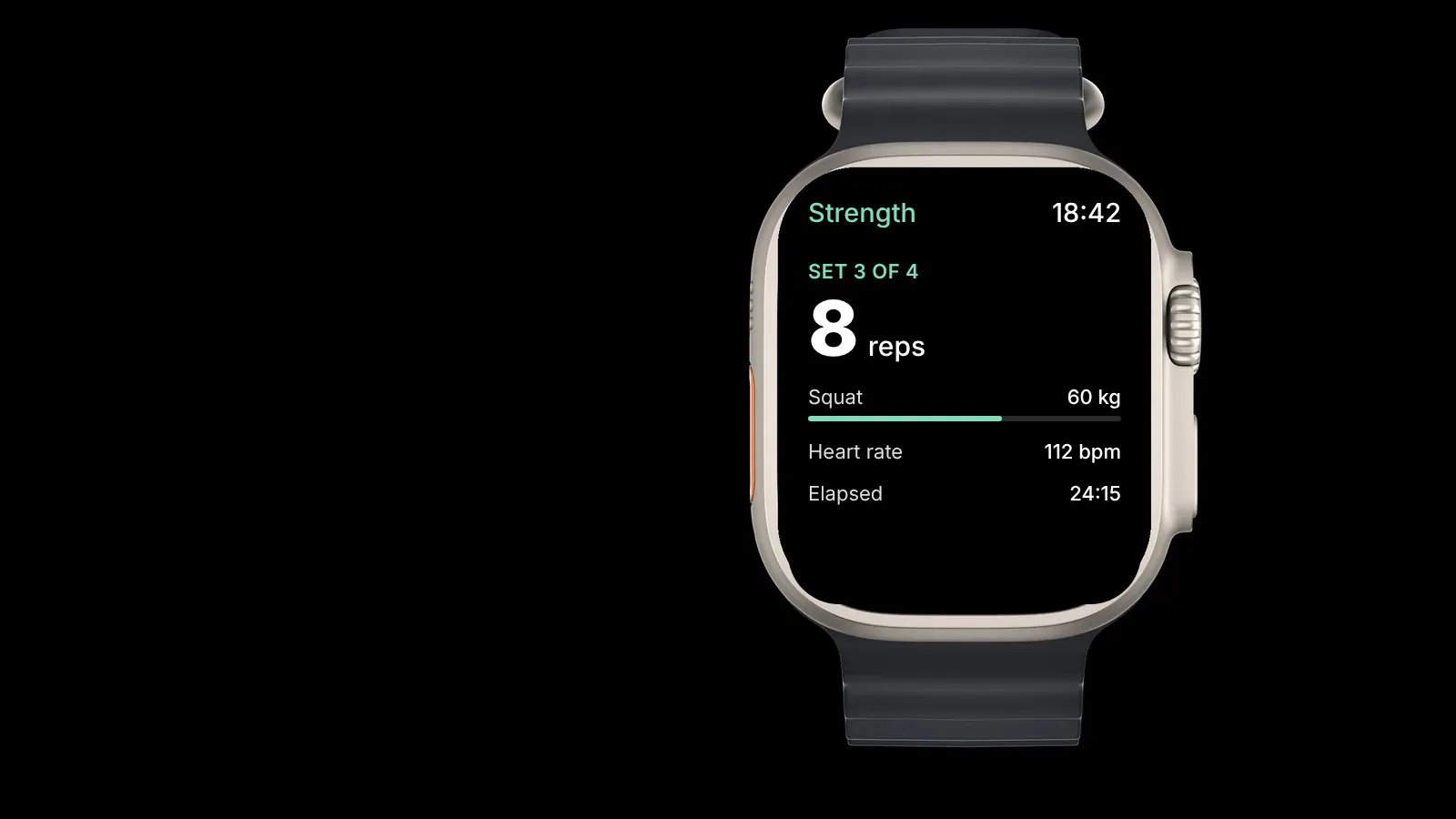
The short answer: open the Workout app, choose Traditional Strength Training for machines or free weights (or Functional Strength Training for body weight and free weights), start it, and end it when you finish. The watch records time, heart rate and calories. It does not record the sets, reps or weight you lift, so log those yourself or in an app that does.
Can Apple Watch track strength training?
Yes, as a workout. Apple lists Traditional Strength Training, Functional Strength Training and Core Training among the Workout app's workout types (Apple Support). While one runs, the watch shows stats such as elapsed time, calories burned and heart rate (Apple Support), and the session appears in the Fitness app on your iPhone.
What it tracks is the effort of the session, not the lifting itself. That matters if your goal is to get stronger, because strength shows up in the weights and reps, not in calories.
Which workout should I choose for lifting weights?
Pick by the kit you use. Apple's own developer definitions describe Traditional Strength Training as strength exercises primarily using machines or free weights, and Functional Strength Training as strength training primarily with free weights and body weight (Apple Developer).
| If you do | Choose |
|---|---|
| Gym machines, barbells, dumbbells | Traditional Strength |
| Body weight, kettlebells, bands | Functional Strength |
| Planks, crunches, back raises | Core Training |
| Short rounds with little rest | HIIT |
A gym session that mixes machines and dumbbells is Traditional Strength Training. Avoid Other unless nothing fits: Apple offers it only for when you cannot find a matching type.
How do you record a weight training session on Apple Watch?
Start the workout before your first warm-up set and end it after your last one. Step by step, using Apple's instructions:
- Tighten the strap a notch and wear the watch above the wrist bone. Apple suggests tightening it during workouts so the sensors keep contact (Apple Support).
- Open the Workout app and turn the Digital Crown to Traditional Strength Training. If it is not there, scroll down and tap the button at the bottom of the list to see every workout.
- Tap the start button, or tap the centre of the screen.
- Between exercises, swipe right and tap Segment, or double-tap the display, so each exercise shows as its own part of the session.
- When you finish, swipe right and tap End, then turn the Digital Crown to rate your effort.
- Write down each exercise, the weight, and the sets and reps you managed, straight after the session.
Does Apple Watch count sets and reps?
No. Apple's guide lists time, calories and heart rate among the workout stats and says nothing about counting sets, reps or the weight on the bar (Apple Support). The Workout app has nowhere to enter them either.
That is the gap most lifters notice. The NHS advice for building strength is to gradually increase the repetitions over time, and you can only do that if you know what you did last week. A note on your phone works. An app that records sets and weights and suggests the next ones saves you the sums.
How accurate is Apple Watch during weight training?
Heart rate is close; calories are not. In a 2026 study of 70 men doing bench press, row, squat and deadlift, an Apple Watch Series 8 averaged within about 2 bpm of an ECG, the best of four watches tested. All four watches were poor at estimating calories against measured oxygen use (Yun 2026).
Two cautions. The men were aged 20 to 39, so the figures may differ on older wrists. And readings were least reliable straight after each set, when heart rate changes fastest, though most of that error came from the other watches. Treat the calorie total for a weights session as a rough guide, not a number to eat back.
Can I use Workout Buddy for strength training?
Yes. Apple lists Functional and Traditional Strength Training among the workouts Workout Buddy supports. It gives spoken encouragement during the session and a summary at the end, including total time and calories (Apple Support).
You need watchOS 27 or later, an Apple Intelligence-enabled iPhone, Bluetooth headphones, and Siri set to English or Spanish. Turn it on from the workout's options in the Workout app before you start.
How often should you do strength training?
At least 2 days a week, working all the major muscle groups: legs, hips, back, abdomen, chest, shoulders and arms. That sits alongside at least 150 minutes of moderate activity a week (NHS). The NHS says to work each muscle to the point where you need a short rest before repeating it.
An example week that meets both, with the workout to pick on the watch:
| Day | Do | Workout |
|---|---|---|
| Mon | Whole body weights | Traditional Strength |
| Tue | 40 min brisk walk | Outdoor Walk |
| Wed | 40 min easy cycle | Outdoor Cycle |
| Thu | Whole body weights | Traditional Strength |
| Sat | 40 min brisk walk | Outdoor Walk |
| Sun | 30 min walk | Outdoor Walk |
If you are starting out after 40, strength training after 40 covers how to begin. If you have not exercised for some time, or have a health condition, the NHS suggests speaking to a GP first.
What are the common mistakes when tracking weights on Apple Watch?
- Reading calories as exact. The study above found no watch measured them well during lifting.
- Judging the session by heart rate. Weights work in short bursts with rests, so your average heart rate can look low after a hard session. The heart rate zones matter more for your walks and rides.
- Logging the workout but not the lifts. Without the weights and reps written down, there is no way to see progress or know when to go heavier.
- A loose strap. Apple says to check the fit and tighten the strap if the watch stops reading your heart rate.
- Choosing Other. Use the closest strength type so the session is labelled correctly in the Fitness app.
How VitaOS tracks your strength training
VitaOS writes each session for you, with the sets, reps and weights for the day, and logs every set and rep so the weights carry into next week. Rate the session when you finish and your next weights go up or down to match. Your live heart rate shows on your watch as you train, and how hard to go is set by your recovery and sleep, so a big week is followed by a lighter day. See how it works on the fitness page, and read Apple Watch HRV by age for the recovery number behind it.
Sources
- Apple Support. Workout types on Apple Watch.
- Apple Support. Start a workout on Apple Watch.
- Apple Support. Use Workout Buddy in Workout on Apple Watch.
- Apple Support. Wearing your Apple Watch.
- Apple Developer. HKWorkoutActivityType: traditionalStrengthTraining and functionalStrengthTraining.
- NHS. Physical activity guidelines for adults aged 19 to 64.
- NHS. Strength exercises.
- Yun JH, Ko JM, Lee TH. Criterion validity of smartwatches for measuring heart rate and energy expenditure during resistance exercise. Bioengineering, 2026.