Apple Watch blood oxygen: what is a normal level?
Most people read 95 to 100% on Apple Watch. What is normal by age, why it dips at night, how accurate it is, and when a low reading matters.
By Roscoe Morris, co-founder of VitaOS · Published 4 November 2026
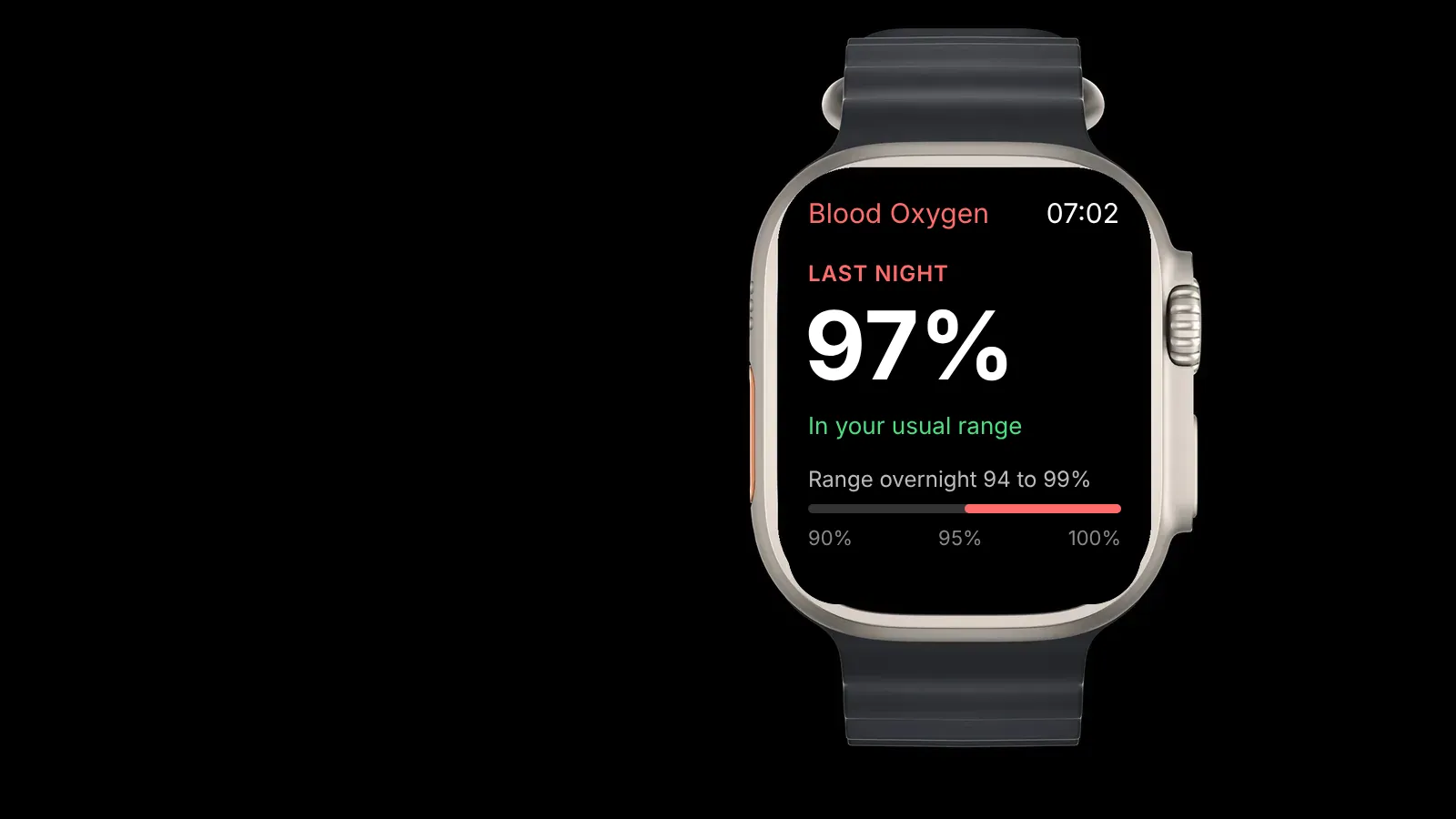
The short answer: most people read 95 to 100% on the Apple Watch Blood Oxygen app, and slightly lower values are expected while you sleep, according to Apple. Apple also says its readings are for general fitness and wellness only, not medical use. A single low number on the watch matters far less than how you feel and whether the low readings keep coming back.
What is a good blood oxygen level on Apple Watch?
95 to 100% is the range most people sit in, says Apple, though some people live a normal life below 95%. The number is the share of your red blood cells carrying oxygen. Readings on the watch move by a point or two from one measurement to the next, so look at the weekly or monthly view in the Health app rather than any one result.
To find it, open the Health app on your iPhone, search for Blood Oxygen, and switch between D, W, M and 6M at the top of the chart. You can filter to readings taken while sleeping.
What is a normal blood oxygen level by age?
Blood oxygen falls slightly with age. In the Tromsø study of 5,152 adults in Norway, measured with a finger pulse oximeter after 15 minutes' rest, 95% of people under 60 read 96% or more, against 85% of people aged 70 and over.
| Age | 96% or more | 93 to 95% | 92% or less |
|---|---|---|---|
| Under 60 | 95% | 5% | 0.1% |
| 60 to 70 | 89% | 10% | 0.7% |
| 70 and over | 85% | 14% | 2% |
Source: Vold and colleagues, BMC Pulmonary Medicine, 2015; share of people in each age group, highest of three resting readings. This was a finger oximeter in a clinic, not a watch, so treat it as a rough guide to where your own number might sit. Readings of 93 to 95% were more common in people with lung conditions, a higher body weight or breathlessness.
Is 92% a good oxygen level while sleeping?
A brief dip to 92% at night is common in healthy people. In a sleep lab study of 350 people with normal sleep tests, the median overnight level was 96.5% and the lowest point of the night averaged 90.4%. People over 60 spent a tenth of the night below about 93%.
Apple says the same in plainer words: slightly lower values are expected while sleeping. What the watch cannot tell you is why a reading dipped. If low night readings come with loud snoring, gasping or choking noises, or feeling very tired every day, the NHS advises seeing a GP about sleep apnoea.
Can you trust Apple Watch blood oxygen readings?
On average, yes; reading by reading, not fully. A 2023 review of five studies with 973 people found no strong bias in the Apple Watch Series 6 against medical pulse oximeters, but single readings could differ by 2.7 to 5.9 points either way, and outliers reached 15 points.
In a test on 38 healthy people at rest, 14% of watch readings came out below 95%, and none below 92%. The authors' conclusion: an odd low reading on its own should not worry an otherwise healthy person. The UK regulator, the MHRA, also notes that oximeters may read too high on darker skin, which is one more reason to trust the trend over the number.
Why is my blood oxygen so low on my Apple Watch?
Usually because of how the reading was taken. Apple lists the common causes: a loose strap, the watch sitting on the wrist bone, moving during the 15 seconds, cold skin with poor blood flow, and some tattoos, whose ink can block the sensor's light.
For a fair reading, sit with your arm resting on a table or your lap, wrist flat and the watch face up, and keep still for the full 15 seconds. If your wrist bone gets in the way, Apple suggests moving the watch 2.5 to 5cm up your arm. Take a second reading a few minutes later before you read anything into a low one.
Why is Apple Watch blood oxygen not working?
The Blood Oxygen app needs an Apple Watch Series 6 or later or any Ultra; it does not run on Apple Watch SE. You also need to be 18 or over in your Health profile, and it is only available in certain countries, which include the UK. Apple says it cannot read at all if your resting heart rate is above 150.
Night readings only happen if Track Sleep with Apple Watch is on. For watches bought in the United States from 18 January 2024 with part numbers ending LW/A or LS/A, the reading is worked out on the iPhone and shows in the Health app, not on the watch. A watch bought in the UK is not affected.
When should a low blood oxygen reading worry you?
When you also feel unwell. For people checking at home with a finger pulse oximeter, NHS England advises calling NHS 111 or a GP if the level is 93 or 94% or keeps being lower than normal, and going to A&E or calling 999 if it stays at 92% or less.
Those numbers were written for medical finger devices, not a watch, which Apple says is not intended for self-diagnosis. So do not use the watch to decide whether you are ill. If you are breathless, finding it hard to speak in full sentences, or getting worse quickly, get help from NHS 111 or 999 whatever the watch says. The MHRA adds that a change in your own readings often says more than the number itself.
How VitaOS reads your blood oxygen
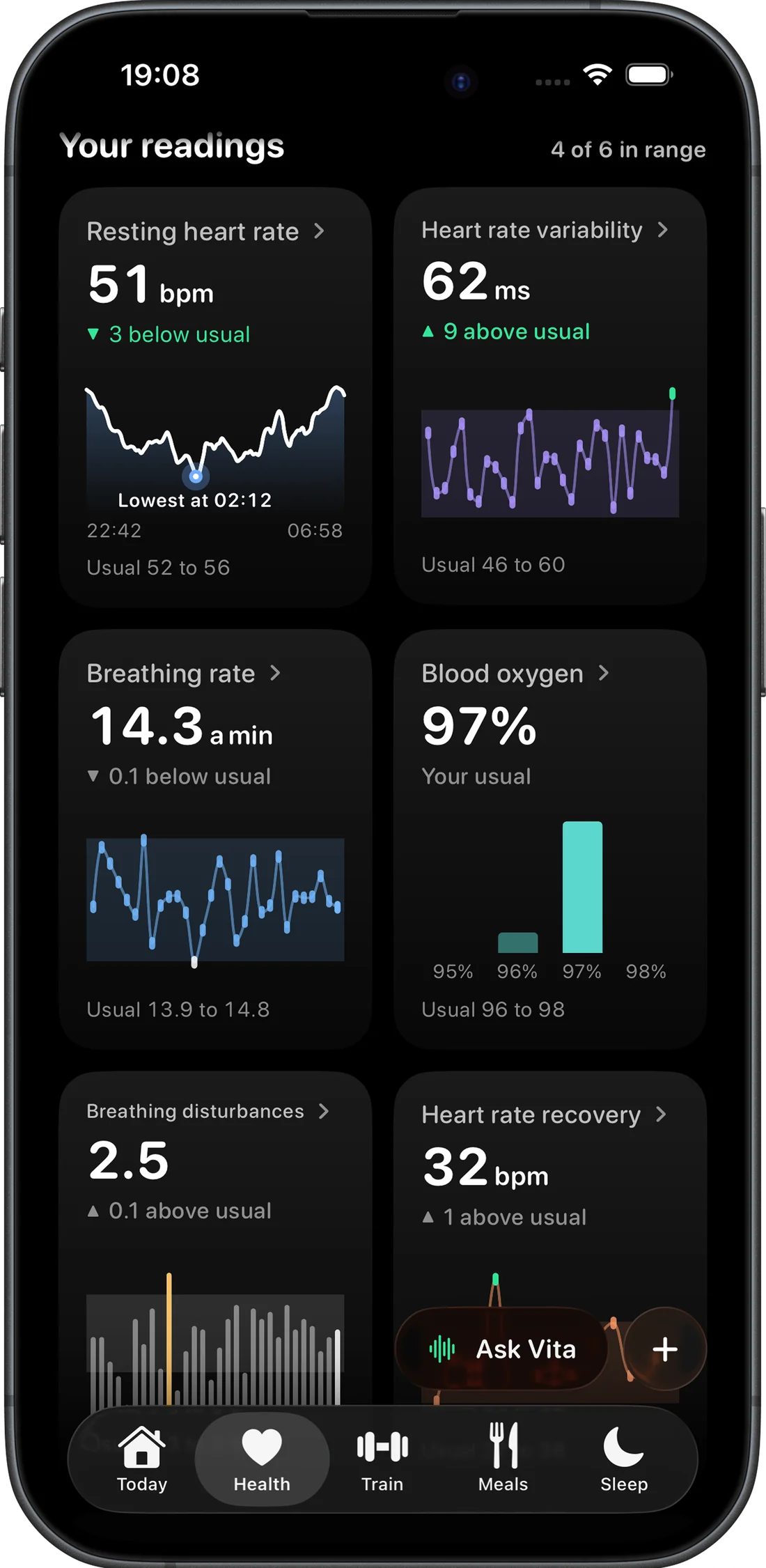
VitaOS reads your blood oxygen from your Apple Watch along with resting heart rate, HRV and breathing, and compares each with your own normal rather than a population average. A night of 97% against a usual 96 to 98% reads as normal for you; a run of nights below your usual range is shown so you can see it, alongside the sleep and heart readings from the same nights. VitaOS does not diagnose anything, and a reading out of your range is a prompt to look, not a verdict.
See the other numbers it reads overnight in Apple Watch resting heart rate by age, Apple Watch HRV by age and Apple Watch sleep score by age, or how it all fits together on the longevity page.
Sources
- Apple Support. How to use the Blood Oxygen app on Apple Watch.
- Vold ML, Aasebø U, Wilsgaard T, Melbye H. Low oxygen saturation and mortality in an adult cohort: the Tromsø study. BMC Pulmonary Medicine, 2015.
- Gries RE, Brooks LJ. Normal oxyhemoglobin saturation during sleep: how low does it go? Chest, 1996.
- Windisch P and others. Accuracy of the Apple Watch oxygen saturation measurement in adults: a systematic review. Cureus, 2023.
- Schröder C and others. The Apple Watch spO2 sensor and outliers in healthy users. npj Digital Medicine, 2023.
- MHRA. The use and regulation of pulse oximeters, 2021.
- NHS England. Using a pulse oximeter to check you are OK, 2022.
- NHS. Sleep apnoea.